Bring in workouts from other apps
Workouts you record anywhere else can live in Parameter too, so your AI plans from everything you actually do. Suggestions, automatic import, and your whole back catalogue.
About 4 minutes
1. Why import
Your AI plans from your history. A run recorded in another app, a ride from your bike’s own app, or a workout started straight from Apple’s Workout app would otherwise be invisible to it. Importing puts those sessions into Parameter’s history, where they count like anything else.
Everything here reads from Apple Health, so it covers any app that saves its workouts there.
2. Suggestions in History
With Suggest workouts from other apps on (it is on unless you turned it off), Parameter checks Apple Health when you open the app and offers what it finds from the last week.
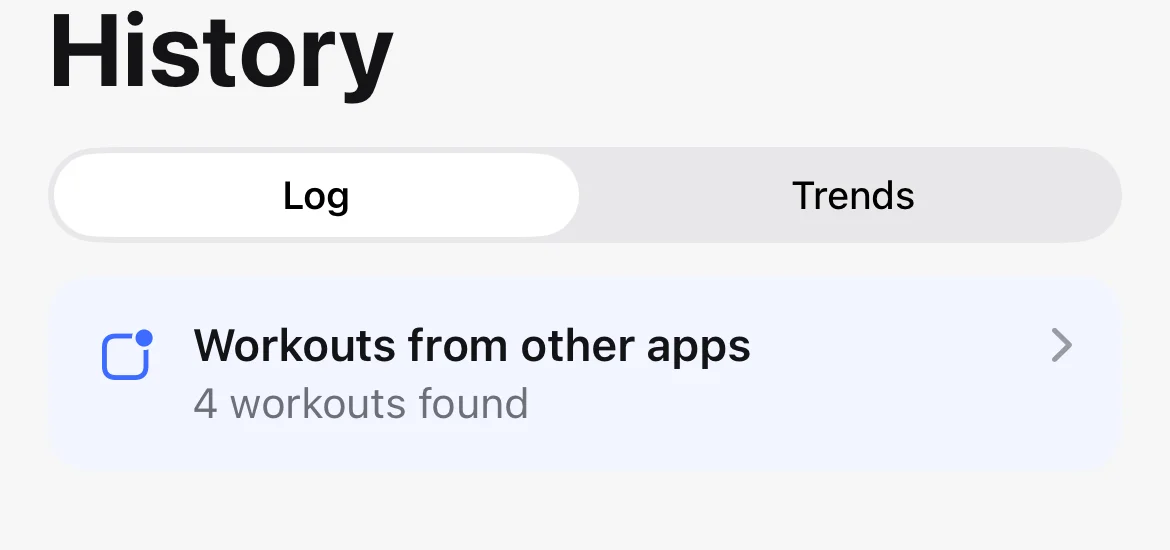
Tap the card to review each workout and Import or Dismiss it. A dismissed workout is not offered again. A suggestion you ignore stays offered for a week.
3. Automatic import
If you would rather not tap at all, turn on Settings, Your data, Automatically import new workouts. Workouts recorded after you turn it on go straight into your history. Anything recorded before still arrives as a suggestion, so switching it on never floods your history with the past.
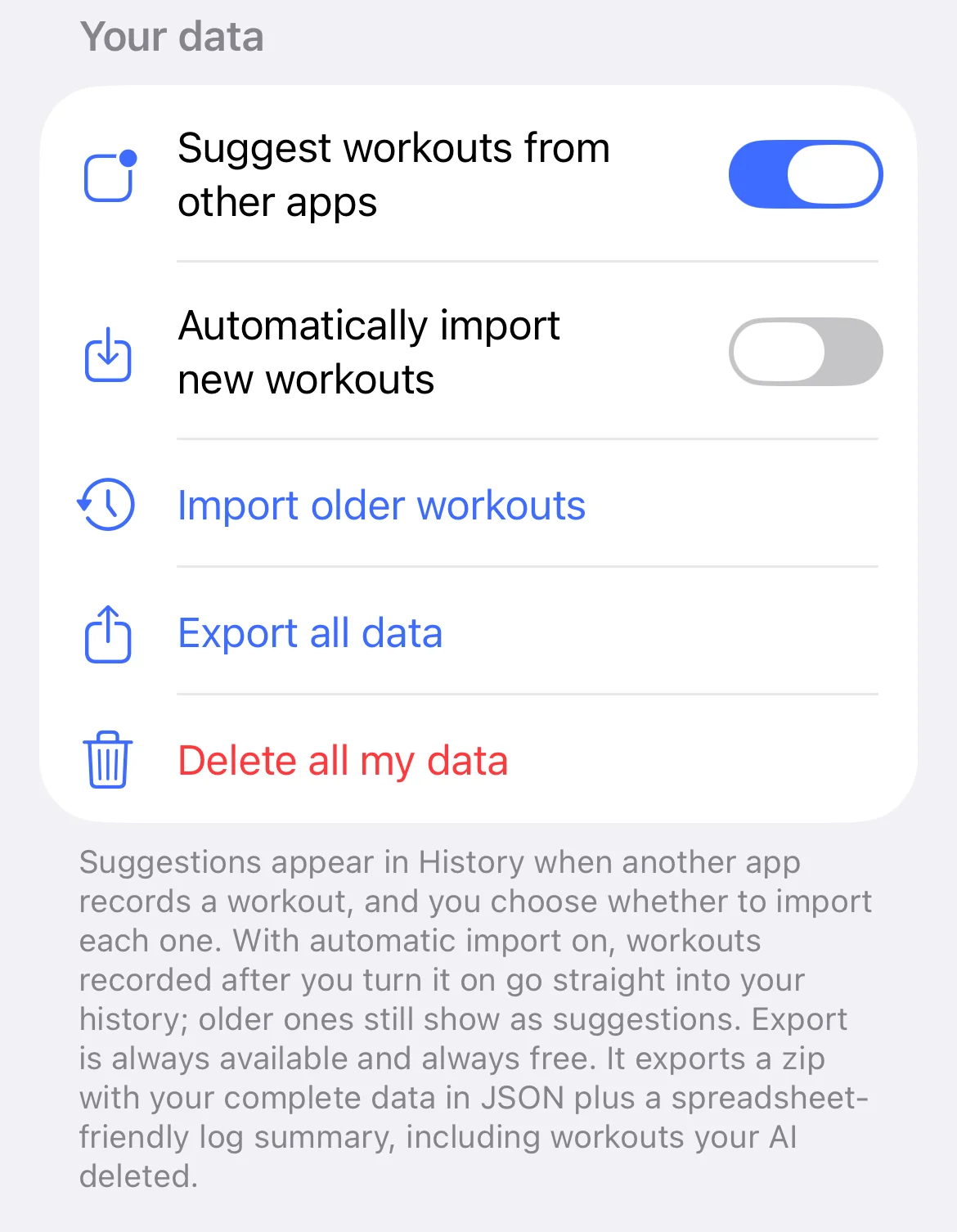
4. Import your older history
For everything from before Parameter, use Settings, Your data, Import older workouts. Pick a date range, up to a year at a time, and Parameter finds every Apple Health workout in it.
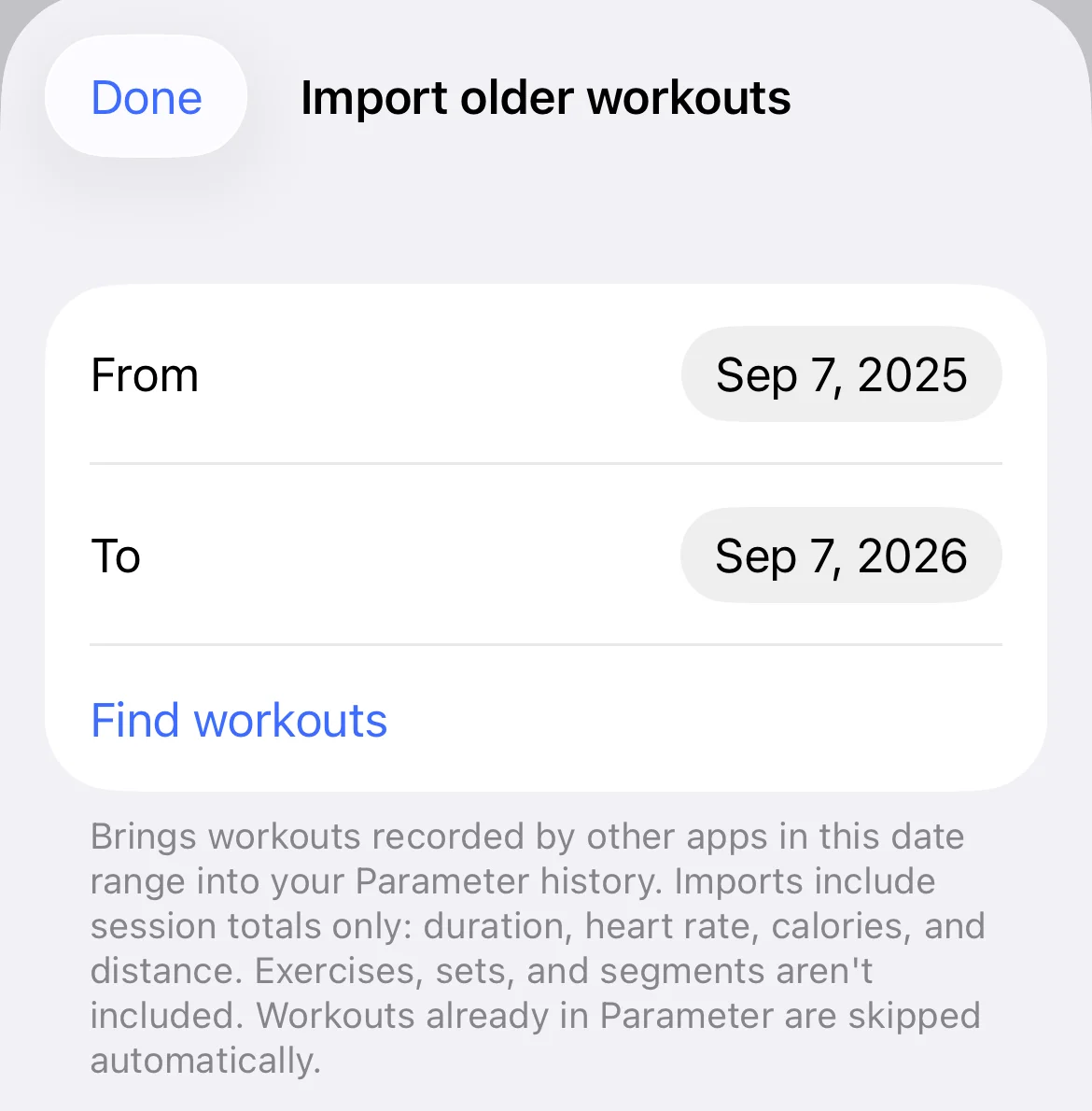
Tap Find workouts, review the count, and import them all in one tap.
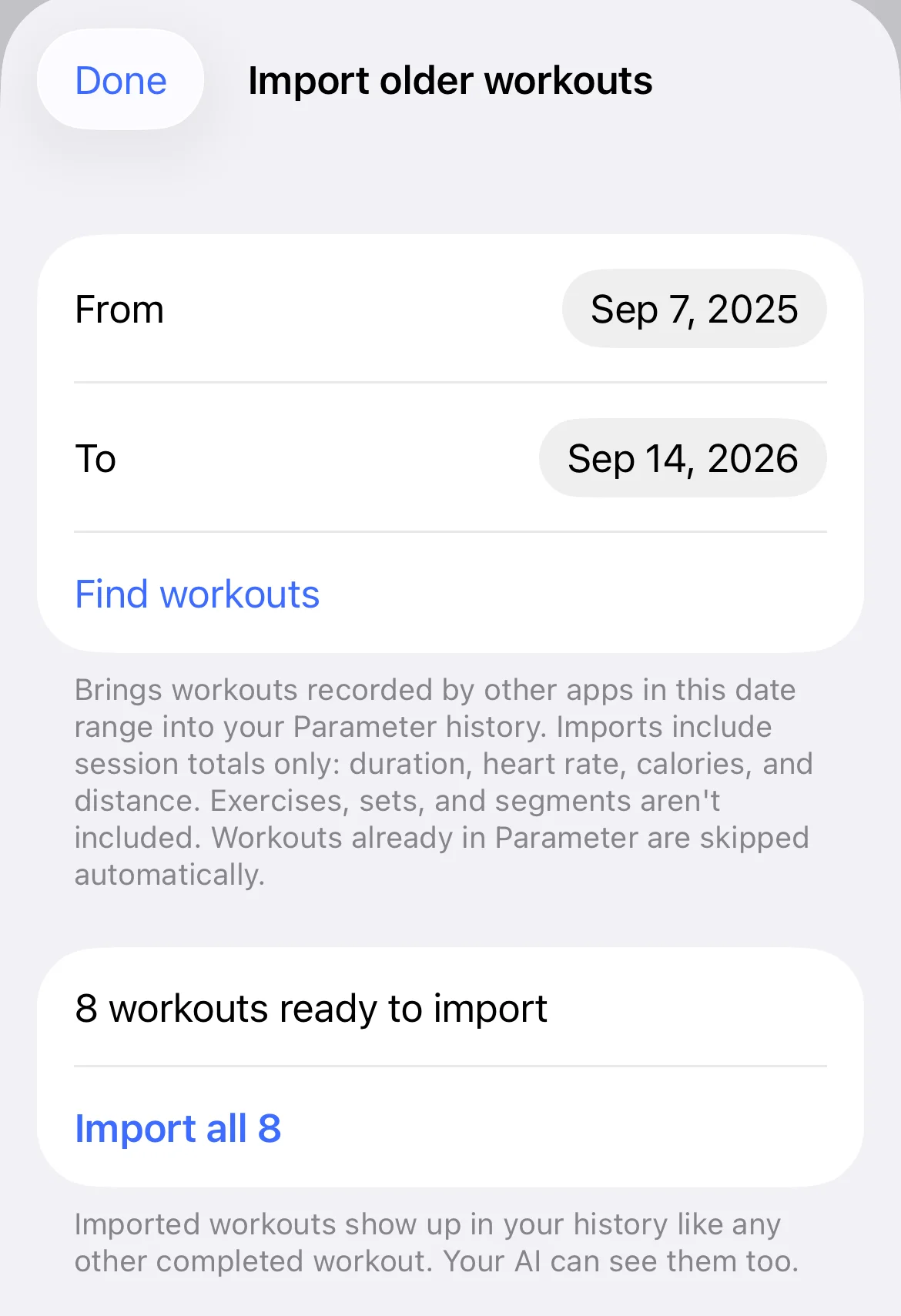
Once they sync, your AI can see them, and its next plan is built from your real training history rather than a blank slate.
5. What an import carries
Imports are session summaries: duration, average and peak heart rate, calories, and distance where the workout has one. On iOS 18 and later, the effort rating you gave on your watch comes across as the workout’s perceived effort. Exercises, sets, reps, and interval segments don’t exist in the imported copy, because Apple Health doesn’t carry that structure.
Duplicates are handled for you. A workout already linked to a Parameter session, already imported, already dismissed, or overlapping a session you tracked in Parameter is skipped automatically. And a Parameter workout you sent to Apple’s Workout app and ran there doesn’t import as a copy at all: the original is simply marked done, with its stats attached.